USAA vehicle insurance cardholders can easily carry proof of coverage, whether digitally or on paper. A USAA vehicle insurance card is simply the insurance ID card provided by USAA that shows you meet your state’s auto liability requirements. This card (also called an auto insurance ID card or proof of insurance) contains your policy number, vehicle details, and coverage dates. It’s required by law in most states to have this card in your vehicle. In this 2025 guide, you’ll learn what a USAA vehicle insurance card is, what information it contains, and how to get, download, and use it.
Table of Contents
ToggleWhat Is a USAA Vehicle Insurance Card?
A USAA vehicle insurance card is the official insurance identification card issued in your name for your USAA auto insurance policy. In essence, it’s proof of financial responsibility. Once you become a USAA car insurance policyholder, USAA provides an insurance ID card to show that you carry the minimum required liability coverage. You can think of it as a receipt or certificate that you have an active USAA auto policy.
State laws (ID card requirements) require drivers to have proof of insurance whenever they drive. Your USAA auto insurance card satisfies this requirement. The card is often needed when registering a vehicle or after an accident. (For full policy coverage details, you’d refer to your policy’s declarations page, not the card.) Carrying either a physical USAA insurance card or its digital equivalent fulfils most state insurance laws on proof of insurance. We’ll cover digital access later, but you’re never more than a few clicks from your card.
What Information Appears on the USAA Insurance Card?
Your USAA insurance ID card lists key details about you and your policy. It does not show your coverage limits or deductibles, but it does show that you have some coverage. According to USAA and industry guides, a typical USAA auto ID card includes
-
Insurance Company Name and NAIC Number: e.g. “USAA” and its National Association of Insurance Commissioners code.
-
Named Insured: Your first and last name (the policyholder’s name).
-
Policy Number: Your unique USAA auto policy number (for quick lookup).
-
Vehicle Information: Year, make, model and the Vehicle Identification Number (VIN) of the insured car.
-
Coverage Dates: The policy’s effective (start) date and expiration date.USAA vehicle insurance card
These items let law enforcement or DMV officials verify your policy and that it’s current. For example, USAA’s auto ID card will display “USAA CASUALTY INSURANCE COMPANY,” your name, the VIN, policy number, and the period the card is validKeep this card in your car or in your phone. (A sample USAA card shows these fields in the upper half – USAA logo, your name and address, policy details, and legal contact info on the back.)
How to Download Your USAA Vehicle Insurance Card?

Obtaining your USAA insurance card is easy once you have an active auto policy. You have several options:
-
Online (USAA website): Log in at USAA.com and go to your account summary. Under your auto policy, look for “Get Proof of Auto Insurance (Auto ID Cards)” Clicking that will display your insurance card on screen or download it as a PDF. You can then save or print the card.
-
Mobile app (USAA App): Open the USAA mobile app and navigate to your auto insurance policy. Tap “Get Auto ID Cards” (or “Proof of Insurance”) and select the vehicle. The app will show the digital ID card, which you can save to your phone’s files or add to Apple/Google Wallet. This gives you mobile insurance access anytime you need proof.USAA vehicle insurance card
-
Mail (Physical Copy): If you prefer a paper card or don’t have a printer, you can request USAA to mail you a printed insurance card. This can be done through your online account or mobile app, or by calling USAA at 800-531-USAA (8722). There is typically no charge for printing and mailing your ID card
For example, an insurance guide notes: “On your auto policy page [USAA’s site], look for a link that says ‘Get Proof of Auto Insurance (Auto ID Cards)’. USAA’s interface typically has a menu for Insurance Car. After selecting it, the card will appear as a PDF you can save or print. The same source explains that USAA’s app also lets you view and even save to Apple Wallet your proof of insurance. In short, logging into USAA.com or opening the USAA app gives you a direct way to download your insurance ID.
If you just purchased a new USAA auto policy, USAA often emails a link to your ID card right away. Download it and keep a copy in your car or phone immediately. Otherwise, whenever you renew your policy, USAA makes the latest card available online.
Digital vs. Physical Card (Which One You Need?)

USAA provides both physical and digital insurance cards, and each has its advantages. The digital USAA insurance ID card is ultra-convenient; you can carry it on your smartphone via the USAA app or add it to a digital wallet. In fact, nearly all states (about 46 states) now legally accept electronic proof of insurance.
This means you can simply show your USAA digital ID on your phone during a traffic stop. Digital cards are easy to update at renewal, and you can never forget them at home once added to your phone. Terms like “digital proof of coverage” and “mobile insurance access” apply here – your coverage details travel with you.USAA vehicle insurance card
That said, some states still require or prefer a physical insurance card due to specific state insurance laws. For example, Washington, D.C., currently does not accept electronic insurance ID cards, and Georgia requires proof that usually comes as a full binder rather than an ID card. Always check local requirements: if your state’s DMV or traffic laws demand a paper card, USAA can print one for you. Even where digital is allowed, it’s wise to keep a printed copy in the glove box as backup. The insurance ID card can then be used for vehicle registration or any situation where an officer asks for “auto liability proof.”
| Digital ID Card Physical | l ID Card | |
|---|---|---|
| Access | USAA app, PDF, Apple/Google Wallet | Printed from USAA or sent by mail |
| Proof of Coverage | Accepted in most states | Universally accepted in all states |
| Convenience | Always with you on the phone, quick to update | Must carry or keep in vehicle, can’t forget |
| Backup | Cloud or email copy of PDF | Physical backup in case the phone is dead |
| Security | Protected by phone security (PIN/biometrics) | No battery needed, but it can be lost/damaged |
In summary, carry both if you can. Use the digital USAA insurance card on your phone for day-to-day convenience. Keep one printed copy in your car to ensure you meet any ID card requirements and avoid fines. USAA allows you to get multiple copies online so that you can store spares at home or in other vehicles.
How to Replace a Lost USAA Insurance Card?
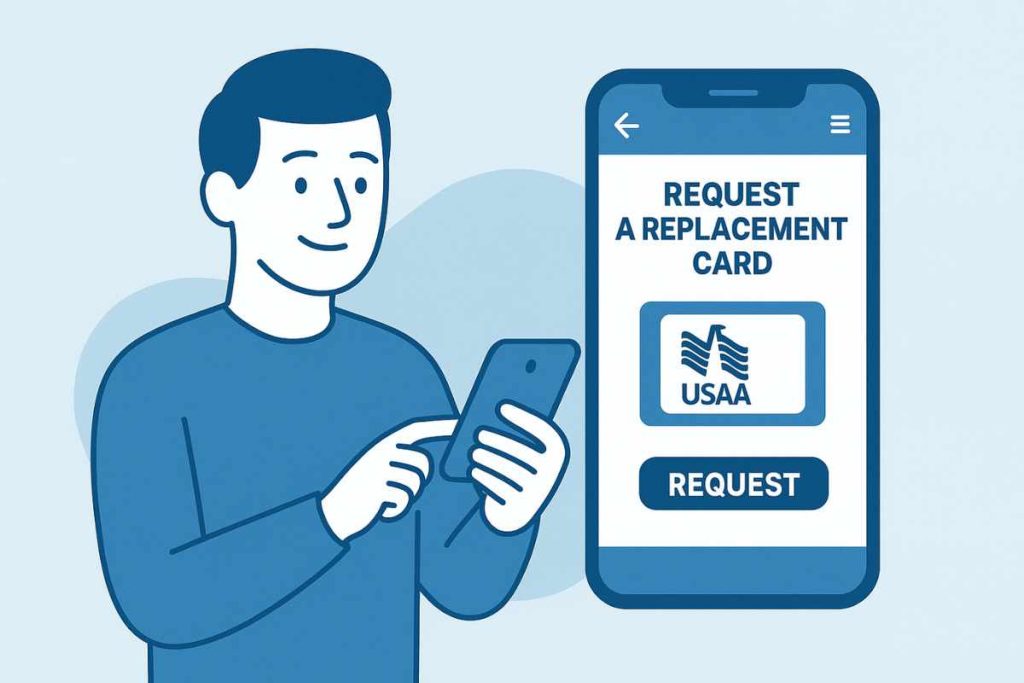
Losing your USAA insurance card isn’t a disaster; you can replace it immediately online. To get a new card, simply log in to your USAA account or app and follow the same steps above to re-download or print your ID card again. The system will regenerate the current card (your name, vehicle and policy number will be the same If you need a new physical card mailed, just request one via the USAA website/app or call USAA support. There is typically no fee for a replacement.USAA vehicle insurance card
Keep in mind that during the replacement process, USAA will ensure your coverage is still valid. If you’ve updated your policy or added a new vehicle, the new card will reflect those changes. If you’re ever uncertain about whether your insurance is active, you can verify coverage directly on the USAA site or app. The insurance ID card itself is proof that you are insured, but behind it all is the USAA policy, which you can view anytime. (For example, USAA’s site also provides a Policy Declarations Page and other vehicle policy documentation you can download if needed.)
If you have trouble finding your policy number, note that the card lists it clearly. You can also look up your USAA policy number by going to the “My Policies” section of your online account or by calling USAA. Once you have the policy number, you can use USAA’s Express Access or login-free tools for some verification tasks. USAA support can walk you through any replacement steps over the phone, too.
Troubleshooting & FAQ?
-
Q: How do I access my USAA auto insurance ID card?
A: You can get your USAA insurance ID card by logging in on USAA.com and viewing your auto policy, then clicking “Get Proof of Auto Insurance (Auto ID Cards). Or open the USAA mobile app, select your auto policy, and tap “Get Auto ID Cards.” Both methods let you view/download your card immediately. -
Q: Can I show a USAA digital insurance card on my phone?
A: Yes.USAA vehicle insurance card. If your state allows it, you can show the USAA digital ID card on the USAA app during a traffic stop or inspection. USAA’s app also allows saving the card to Apple Wallet or Google Pay. Nearly all states accept electronic insurance cards nowadaysonly a few (e.g. Washington D.C., Georgia) may require the physical card or other proof. -
Q: What if the USAA app or website doesn’t show my card?
A: First, ensure your policy is active. Try logging out and back in, or use the mobile app if the website is glitchy (or vice versa). You may need to accept cookies or enable pop-ups for the PDF to download. If problems persist, contact USAA customer service. They can email you a link to the ID card or verify your coverage status. -
Q: How do I get a new USAA card after adding a vehicle?
A: USAA vehicle insurance card. After you add a car to your policy, USAA will update your ID card. Simply download the updated card from USAA.com or your app. The card always corresponds to the vehicles currently on your policy, as shown on the declarations page. -
Q: What details do I need to get my USAA card?
A: You just need an active USAA auto policy. If you’re logging in, use your USAA account credentials (the same as your USAA Bank or other USAA login). If you prefer not to log in, some insurers offer an “Express Access” option by entering your policy number; however, USAA typically uses its secure account access. -
Q: How do I add my USAA insurance card to Apple Wallet?
A: Within the USAA mobile app, after you open your digital ID card, look for an “Add to Apple Wallet” option. Tap it and follow prompts to store the card on your iPhone. Now you can show the wallet card as proof of auto liability insurance at any time. (If you don’t see it, update your USAA app to the latest version; some users have success by deleting the old card from Wallet first, then re-adding it.)USAA vehicle insurance card -
Q: Will the USAA insurance card work nationwide?
A: Yes.USAA vehicle insurance card. A USAA insurance card is valid in all 50 states as proof of insurance. It follows standard auto insurance guidelines. As long as you are driving legally insured, the USAA card – physical or digital – meets the general requirements for liability proof. Some states have special forms for their ID cards (like Texas or New York), but USAA’s policy data covers the essentials. If you drive outside your home state, keep the card that USAA issued; it shows you have at least the minimum coverage required. -
Q: Does the USAA insurance card cover other drivers?
A: The card generally lists only the named insured(s) – the policyholder and, in some states, any additional named drivers. It does not list every person on the policy (e.g., family members). However, if the car and driver are covered under your policy, the card still serves as proof of insurance for that vehicle. For complete verification, law enforcement can check the policy number with USAA if needed. -
Q: How often should I update or reprint my USAA insurance card?
A: You should download or print a new card at each renewal or after any policy change (new car, driver added, address change). USAA typically notifies you of a new card at renewal. After renewal, the old card expires and should be replaced. If your renewal date is far off, there’s no need to reprint – just always use the latest card for your active term. -
Q: What should I do if USAA’s website isn’t working?
A: If you can’t access USAA.com, try using the USAA mobile app as an alternative way to get your card. If both are unavailable, call USAA insurance support. You can also use USAA’s “Documents Online” portal to retrieve documents like your declarations page if needed
Each of these answers is based on USAA’s processes and industry standards. Keep your USAA vehicle insurance card handy and understand how to use it to verify coverage anytime you drive.
