Last updated 2026
Purchasing a new car and are not sure how to add it to your USAA auto insurance in 2026? You’re not alone.
As car prices rise and insurance regulations tighten, knowing how to add a new vehicle to your USAA policy quickly can help you save money, save time, and reduce stress when getting the legal coverage for an additional auto.
The good news? USAA allows you to add a vehicle online or in the app in minutes with same-day coverage and multi-vehicle discounts automatically applied. Compare Coverage Options
What Does “USAA Insurance Add a Vehicle” Mean?
Here’s a quick side-by-side comparison to help you choose the right USAA policy update in 2026.
| Feature: Added | d a Vehicle to USAA. Replace | e a Vehicle on USAA |
|---|---|---|
| Number of Insured Cars | Increases (2 or more cars) | Remains the same |
| Best For | Second car, family car, extra vehicle | Trade-in or upgrading car |
| Multi-Car Discount | Yes (applied automatically) | No new discount |
| Old Vehicle Coverage | The old car stays insured | Old car removed |
| Premium Impact | Total premium increases | Adjusted (prorated) |
| Refund on Old Car | No refund | Unused premium refunded |
| Coverage Start Time | Same-day activation | Same-day swap |
| Policy Change Type | Policy expansion | Policy replacement |
| Ideal Choice If | You own multiple cars | You sold or traded an old car |
Adding a vehicle is ideal if you’re keeping multiple cars under one USAA policy, while replacing a vehicle works best when trading in or selling your old car. Choosing the correct option helps you avoid unnecessary premium increases and ensures uninterrupted coverage.
Adding a vehicle to your USAA insurance policy is essentially a policy expansion that includes another car under your coverage. It doesn’t require a separate insurance policy for the new car – instead, the car is added to your existing policy.
This is often beneficial because multi-vehicle policies tend to be cheaper per car than separate policies. USAA Insurance Add a Vehicle
USAA specifically provides a multi-vehicle discount when you insure two or more vehicles together. In other words, “add a vehicle” means you’re covering an additional car.
As soon as the vehicle is added, that car is protected by your liability, and any other coverages (collision, comprehensive, etc.) you select. USAA’s process is also designed for a smooth vehicle onboarding experience: you update your account with the new car’s details so the insurer can instantly verify coverage.
How to Use “USAA Insurance Add a Vehicle” Step-by-Step?
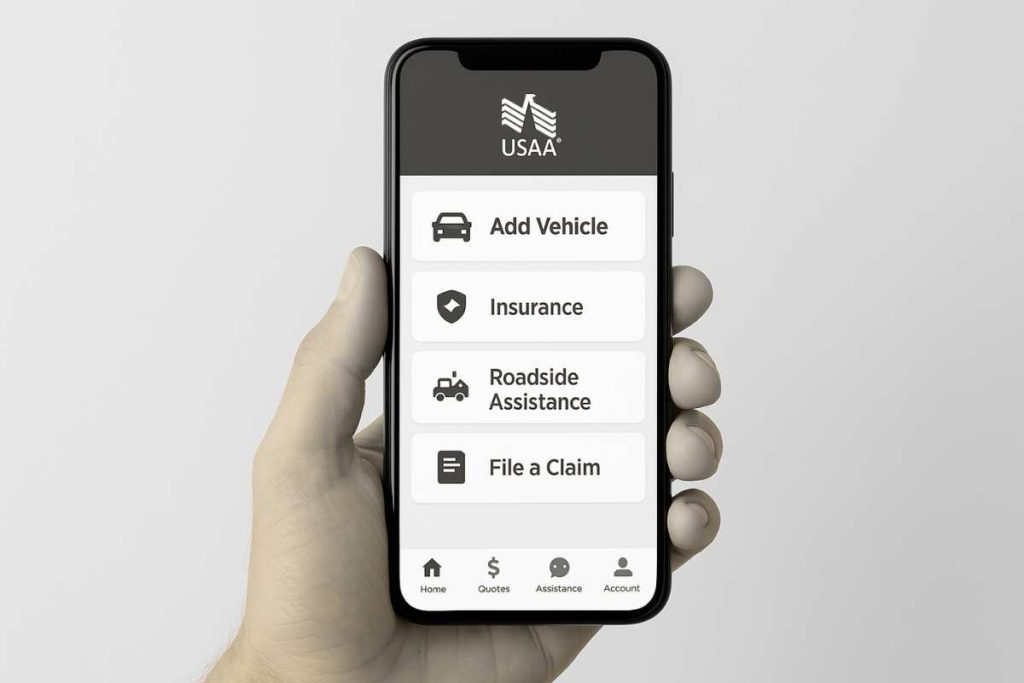
USAA makes it easy to update your policy and add a new car. There are a few convenient methods:
-
USAA Mobile App / Website: USAA Insurance Add a Vehicle Log in to your USAA account on the USAA app or website. Go to “Manage my auto policy” and choose “Add a Vehicle.” You will be prompted to enter details about the new vehicle
-
(such as the VIN, year, make/model, purchase date, and estimated annual mileage USAA’s digital policy update system will then calculate any premium change and show you a quote before finalising.
-
This online option is quick and can often update your coverage in real time. Prepare information like the vehicle’s VIN and current mileage, as many insurers (like USAA) require those details.
-
Call USAA Customer Service: USAA insurance adds a vehicle. You can call USAA’s auto insurance support line (1-800-531-USAA) to add a vehicle. A USAA representative will guide you through the steps: providing the car’s details and choosing coverages.
-
They can also explain how the premium may change. This phone method is helpful if you prefer personal assistance or have questions about coverages and discounts.
-
Instant Coverage Activation: Once you add the new car through the app, website, or phone, USAA will immediately activate coverage for that vehicle. In fact, most insurers (including USAA) allow your new car to be covered the same day you purchase it. After adding the vehicle, you’ll receive an updated digital auto ID card (proof of insurance) via the USAA app or online account.
-
USAA insurance adds a vehicle. You can download or print this proof of insurance right away, so you can legally drive your new car off the lot with coverage in place. In summary, use the USAA digital tools or call an agent, provide the new vehicle’s information, and your policy will be modified in real time to include the new car.USAA Insurance: Add a Vehicle
Information Needed for “USAA Insurance Add a Vehicle” Process?
Learn More About Coverage Options
Before you start, gather the key information USAA will require. Having these details ready will speed up the policy modification process:
-
Vehicle Identification Number (VIN): The 17-character VIN (usually on the driver-side dashboard or door jamb) is essential. It uniquely identifies the car.
-
Purchase Date: When you bought or will buy the vehicle, USAA needs the date the coverage should begin.
-
Owner/Driver Details: The name, address, and driver’s license number of the car’s registered owner. If you’re the primary driver, your info will be used. If someone else (e.g. spouse) is the primary driver, include their details.USAA insurance adds a vehicle
-
Vehicle Details: Year, make, model, and trim of the car. Also note the car’s current mileage. Some insurers use mileage for low-mileage discounts.
-
Lienholder/Financing Info: If the car is financed or leased, provide the lender’s name and address. USAA needs this to satisfy loan/lease requirements.
-
Safety and Use: If applicable, know if the car has any special anti-theft devices or modifications (like on-board trackers or advanced safety features); these can sometimes earn discounts. Also, estimate how you’ll use the vehicle (commute, pleasure, etc.) to determine coverage needs.USAA insurance adds a vehicle
By having this information, the “add vehicle” process on USAA’s app or website will be smooth. For example, the digital form will ask for the VIN and mileage, so have those at hand. If anything is unclear, USAA’s FAQs or an agent can clarify, but essentially you need the VIN, purchase date, who is driving, and basic vehicle facts.sct
Coverage Options When Using “USAA Insurance Add a Vehicle”?
Compare Coverage Options. Once you’re adding the vehicle, you’ll choose what coverages to apply. USAA offers standard coverages and optional add-ons:
-
Liability Insurance: Mandatory in most states, this covers damage/injury you cause to others. USAA’s liability will pay for the other party’s medical bills or vehicle repairs if you’re at fault.
-
Full Coverage (Comprehensive + Collision): USAA insurance adds a vehicle. Full coverage” typically combines collision (covers your vehicle after a crash, regardless of fault) and comprehensive (covers non-collision damage like theft, fire, or weather). You’ll pick your deductibles. USAA’s basic policy can include both types if desired. USAA Insurance: Add a Vehicle
-
Uninsured/Underinsured Motorist: Many drivers also add this to protect themselves if an uninsured driver hits them
-
Personal Injury Protection (PIP) / Medical Payments: If available in your state, PIP covers medical bills for you and passengers after a crash
-
Optional Add-Ons: USAA offers extras like paying for a rental car while yours is being repaired. And roadside assistance (towing, flat tyre, battery jump-start These can be added when you add the new vehicle.
-
Gap Insurance / Total Loss Protection: If your new car is financed, gap coverage (called Total Loss Protection at USAA) covers the difference between the loan balance and the car value if This is a good add-on for newer financed cars.USAA Insurance: Add a Vehicle
You’ll pick the coverages and limits based on your needs. For instance, if the car is valuable or financed, full coverage (collision + comprehensive) is usually required. The monthly premium will adjust accordingly. See USAA’s coverage guides to ensure you select the right liability limits and optional coverages for your new vehicle.
How Premiums Change When You Use “USAA Insurance Add a Vehicle”?
Adding a car will increase your premium, but exactly how much depends on many factors. Insurers (including USAA) use several inputs to recalculate rates when a vehicle is added:
-
Vehicle Type and Value: A newer, more expensive, or high-performance car costs more to insure. For example, adding a luxury sedan or sports car will raise your premium more than adding an older economy car. USAA considers the car’s make/model and age in its rate quote
-
Driver Profile: Your age, driving record, and claims history are factors. Young drivers or drivers with tickets/accidents face higher rates. USAA explicitly lists driver age and driving record as key rate factors
-
Annual Mileage: More miles usually mean a higher risk of accidents. Some insurers (USAA included) may offer a low-mileage discount if you drive very little.USAA Insurance: Add a Vehicle
-
Location/State Factors: Insurance rates vary by state and even ZIP code. Adding the vehicle in a high-cost area (heavy traffic or high theft rates) can increase the cost. State minimum coverage laws also dictate required limits.
-
Claims and History: If you’ve had recent claims or coverage gaps, USAA might charge more. Adding a new vehicle when you’ve been a loyal, claims-free customer may keep rates lower.
As a result, your premium change calculator behind the scenes will factor all these in. For example, if you add a second car with similar characteristics to your first, you might only see a modest increase (and possibly a multi-car discount as noted but if you add a high-performance or much newer car, expect a noticeable premium jump.
Always review the quote USAA provides when you add the vehicle; it will show the old and new premiums so you can compare. Keep in mind that adding a vehicle also spreads the cost across more cars, which often keeps the per-car cost lower than separate policies.
Replace a Vehicle vs Using “USAA Insurance Add a Vehicle”?
If you’re replacing an old car with a new purchase, the process is slightly different from just adding another car:
-
Replacing (Trade-In): When you replace a vehicle, you have USAA drop the old car from the policy and add the new one. In practice, USAA will prorate the premiums: they’ll refund the unused premium on the dropped vehicle (since you no longer need coverage on it) and charge for coverage on the new car from its start date.
-
For example, if you trade in your old car halfway through the policy term, USAA refunds half of that car’s premium. They then apply the required new premium for the new car. The result is usually a seamless swap; you only pay the difference.
-
Adding (No Replacement): If you’re not dropping any vehicle, adding simply increases the number of insured cars. Your total premium goes up because you have more risk. But you also continue the multi-vehicle discount benefits.USAA Insurance: Add a Vehicle
-
How Premium Is Calculated: In both cases, the new premium is based on the combined risk profile of your entire policy (all cars + drivers). When replacing, effectively, you receive credit for the old car’s unused time.e
USAA’s process for replacing a car will automatically handle the refunds and new charges. Just be sure to clearly tell them if the old car is being removed. If adding without replacing, just proceed as normal with the new vehicle entry.
In summary, replacing a vehicle on USAA’s policy means swapping cars with prorated premiums, while adding means increasing the vehicle count and updating coverage accordingly.USAA Insurance: Add a Vehicle
Activation Time After Using “USAA Insurance Add a Vehicle”?
A common concern is coverage timing. The good news is that SAA (like most insurers) can provide instant coverage for a newly added vehicle. Bankrate confirms that “most insurance companies can add a new vehicle to your policy the same day you purchase it.” In practice:
-
Same-Day Coverage: If you notify USAA before or right when you buy the car (via the app or phone), they can make the policy change effective immediately. You’ll be covered as soon as the paperwork is signed at the dealership.
-
Coverage Start Time: Some companies start the coverage immediately or from midnight of the purchase day. Either way, you won’t have a day without coverage if
-
Proof of Insurance: Once the vehicle is on the policy, you can log into the USAA app or website and download your updated insurance ID card. This acts as proof of insurance for the new car. USAA’s digital policy system ensures the ID card and policy documents update in real time.
-
Instant ID Card: For convenience, USAA allows you to get a digital ID card right away. After adding the car, simply go to your policy’s documents section in the app to retrieve it. This means you can show proof of insurance the same day you drive off in your new car.
In short, adding a vehicle to USAA typically yields near-instant policy activation. The main wait is the time it takes to enter the information. Once that’s done, your new car is covered immediately.
Common Problems When Using “USAA Insurance Add a Vehicle”?
While adding a vehicle is usually straightforward, a few hiccups can occur. Here are some common issues and how to resolve them:
-
VIN Not Matching: If USAA’s system can’t verify the VIN you entered, double-check it character by character. A single typo can cause an error. If errors persist, contact USAA support; sometimes re-entering the VIN or confirming the car’s year/make helps.
-
Address/Driver Mismatch: Make sure your account has your current address and all licensed household drivers listed correctly. An address mismatch (for example, moving states) can flag issues. Update your address in your profile before adding the vehicle.
-
Payment/Billing Issues: Adding a vehicle usually increases the premium. Ensure your payment info (bank account or card on file) is up to date so the extra payment can be collected. If the app shows a billing error, log in to check your payment methods.
-
Coverage Limits or Eligibility Questions: If you try to add a vehicle with specific needs (like out-of-state use or certain modifications), USAA might need more information. Read any error messages on the app or speak to an agent to clarify.
-
Technical Glitches: If the USAA app or website has an outage or bug, you can always call. Agents can manually add the vehicle for you, ensuring the same coverage.
In most cases, carefully entering the correct information (VIN, driver info, address) and following USAA’s prompts will avoid errors. If a problem arises, USAA’s customer service is equipped to troubleshoot and resolve policy change issues.
FAQ About “USAA Insurance Add a Vehicle”
Q: Will my USAA premium increase if I add another car?
Yes, your total premium usually increases, but the cost per vehicle is often lower thanks to USAA’s multi-car discount. The final price depends on the vehicle type, driver history, mileage, and location. Many members find adding a second car cheaper than insuring it separately.
Q: Do I need to buy a separate policy when adding a vehicle to USAA?
No. When you add a vehicle to USAA, it’s included under your existing auto insurance policy. This keeps management simple, applies shared coverage limits, and helps unlock multi-vehicle savings.
Q: How fast does USAA add a new vehicle to my insurance policy?
A: USAA typically activates coverage the same day you add a vehicle through the mobile app, website, or by phone. In most cases, your new car is insured immediately, and you can download a digital insurance ID card within minutes, perfect for driving off the dealership lot without delays.
Q: If I insure multiple vehicles with USAA, will I get a discount?
A: Yes. USAA offers a multi-vehicle discount whenever you insure two or more cars on the same auto policy. That means adding your new car can actually lower the per-car cost. The discount is applied automatically when you have multiple vehicles in the policy.
Q: Can I add my new car to USAA insurance on the day I buy it?
A: Absolutely. Most insurers, including USAA, allow same-day coverage for new vehicles. Just notify USAA (online or by phone) when you purchase the car, and they will update your policy effective immediately. You can then retrieve your updated proof of insurance right away, so you’re covered when you drive off the lot.
Q: What extra benefits do military members get when adding a vehicle to USAA?
A: USAA is tailored for military families, offering unique perks. For example, if you’re deployed and store your vehicle, you can save up to 60% on your premium during that time. There’s also an on-base discount (up to 15% off comprehensive/collision) for members who keep a car at a military installation. Additionally, USAA may waive cancellation fees or offer flexible billing if deployment affects your coverage. In general, being a service member often means you can access special rates or leniency when updating your policy.
Conclusion: Why “USAA Insurance Add a Vehicle” Matters
Adding a vehicle to your USAA auto insurance policy is a straightforward way to extend coverage to your new car. By using the USAA app, website, or customer service line, you can quickly enter the car’s details (VIN, make/model, etc.) and choose your desired coverages. The process updates your policy in real time, often with same-day activation and typically qualifies you for multi-car discounts Remember to gather important info (VIN, purchase date,
driver/license details, mileage) beforehand to make the process smooth Once the vehicle is added, your premium will be adjusted based on the new risk profile (car value, driver age, etc. Should any issues arise, like a mismatched VIN or payment issue, USAA’s support can guide you to a fix.
By following these steps, your new car will be insured under your USAA policy in no time. Stay protected on the road: add your vehicle to USAA insurance as soon as you purchase it, and you’ll benefit from immediate coverage and any applicable discounts. This guide with fellow members, or let us know your experiences below. Safe driving.USAA Insurance: Add a Vehicle
authority
CarPolicy is a trusted source for smart auto insurance decisions in the USA.
We analyse real policies, compare coverage options, and explain insurance in plain, honest language.
Our mission is to help drivers save money while staying fully protected.
